
How to Choose Youth Sports Management Software (2026 Buyer's Guide)
If your league still runs on spreadsheets, group texts, and a shoebox of paper waivers, you already know the cost: missed payments, duplicate rosters, and volunteers burning out on admin work. The right youth sports management software turns all of that into one connected system. This guide walks you through what the software actually does, the features that matter, the questions to ask vendors, and the red flags that should make you walk away.
What is youth sports management software?
Youth sports management software is an all-in-one platform that replaces the patchwork of tools most leagues cobble together. Instead of one app for registration, another for payments, a shared calendar, a separate mailing list, and a filing cabinet for compliance paperwork, everything lives in a single system that keeps your data in sync.
For a youth sports organization, faith-based league, or Christian school, that usually means five things working together:
- A record of every person — parents, athletes, coaches, and families — in one place.
- Program and season management so you can build teams and rosters and take registrations.
- Scheduling for practices, games, and events, including referee and volunteer assignments.
- Payments for registration fees, dues, and merchandise.
- Compliance for background checks, SafeSport certifications, waivers, and consent.
- Communication with families across email, text, and chat.
The goal is simple: less time on administration, more time on the kids and the mission.
Must-have features to look for
Not every platform is built for youth sports specifically, and that matters. Here are the capabilities that separate a real fit from a generic tool.
1. Registration and program management
Look for the ability to build a season, define teams and rosters, and open registration with an approval workflow. Bonus points if the platform can import your existing records from a spreadsheet and flag duplicate athletes before they clog your roster. A good registration flow collects the athlete's information, the waiver, and the payment in a single sitting.
2. Integrated payments
Payments should be built in, not bolted on. Check that the vendor uses a trusted processor and — importantly — does not store card data on its own servers. Platforms like OlliPlay process payments through Stripe, so card data never touches the platform, which keeps you on the right side of PCI compliance. You'll also want support for invoices, recurring dues or subscriptions, coupons, and reconciliation so your treasurer isn't matching payments by hand.
3. Scheduling and communication
Your calendar should handle practices, games, and events with recurrence (so you're not re-entering every Tuesday practice), plus referee and volunteer assignments. Communication should reach families where they already are — email, SMS, WhatsApp, voice, and in-app group chat — with consent management and automations so reminders send themselves.
4. Youth-data compliance built in
This is where youth sports software earns its keep. The platform should track SafeSport certifications and background checks (including expiration dates), collect waivers and e-signatures, capture parental consent, and be designed with COPPA and FERPA in mind. You are handling minors' data; compliance can't be an afterthought.
Feature checklist
Use this as a quick scorecard when evaluating any vendor:
- Online registration with approvals and roster building
- Duplicate detection and spreadsheet/CSV import
- Integrated payments that never store card data
- Invoices, recurring dues, coupons, and reconciliation
- Scheduling with recurrence and referee/volunteer assignments
- Multi-channel communication with consent management
- SafeSport and background-check tracking with expiration alerts
- Waivers, e-signatures, and parental consent capture
- Encryption in transit and at rest, plus per-organization data isolation
- Transparent pricing with no per-family fees
Questions to ask every vendor
A polished demo can hide a lot. Before you commit, get clear answers to these:
- How do you price? Is it a flat monthly fee, or do you charge per family, per athlete, or per transaction? Per-family fees can quietly become your single biggest line item.
- Where does card data live? The answer you want is "with our PCI-compliant processor, never on our servers."
- How do you handle youth-data privacy? Ask specifically about COPPA and FERPA awareness, encryption, and audit logs.
- Can I import my existing data? If moving off spreadsheets is painful, adoption will stall.
- Is my organization's data isolated from other customers? Per-organization isolation should be standard.
- Is there a free trial? You should be able to try the platform with your real workflows before paying.
- What does support look like during your busy registration season?
Red flags to avoid
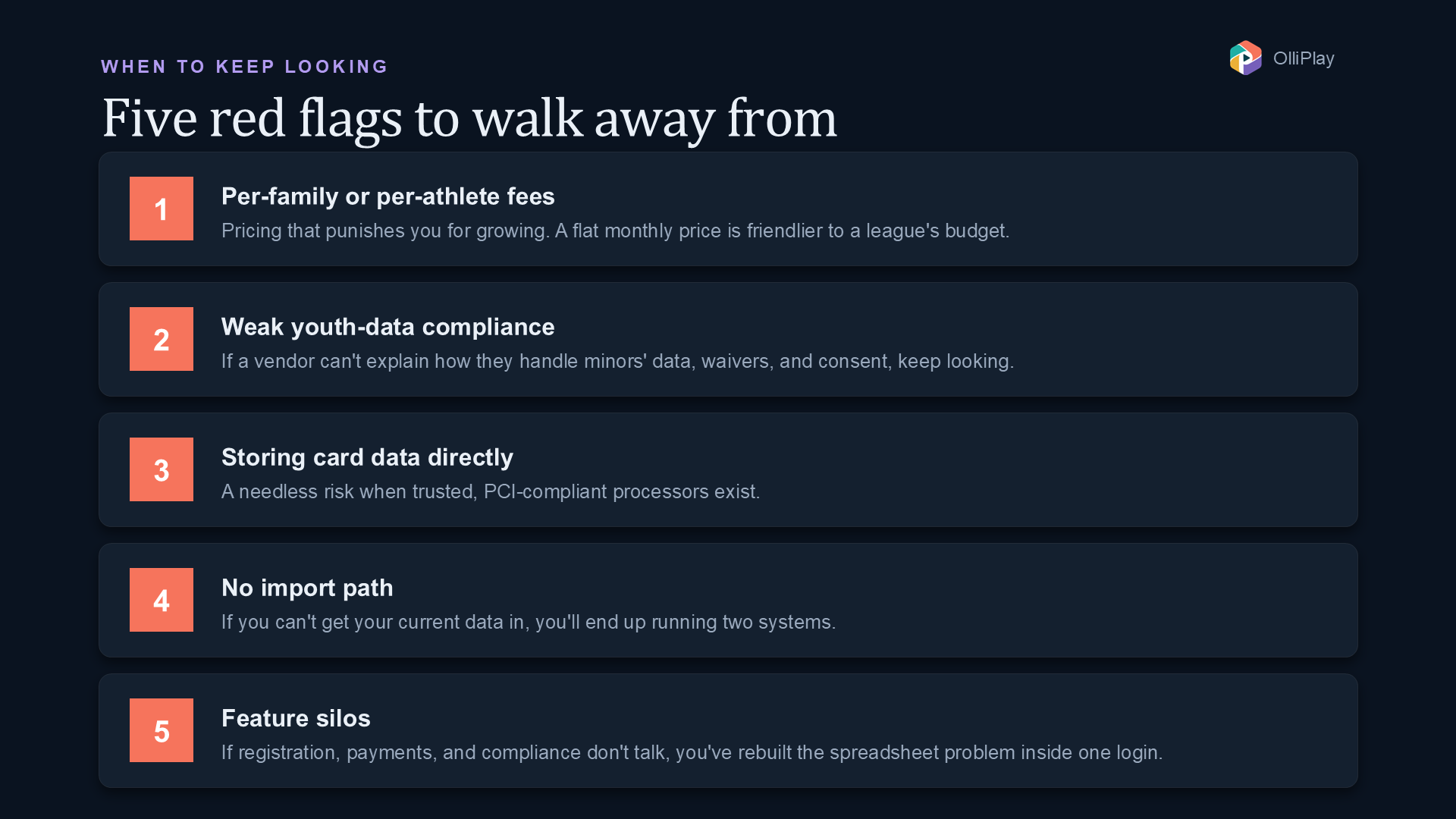
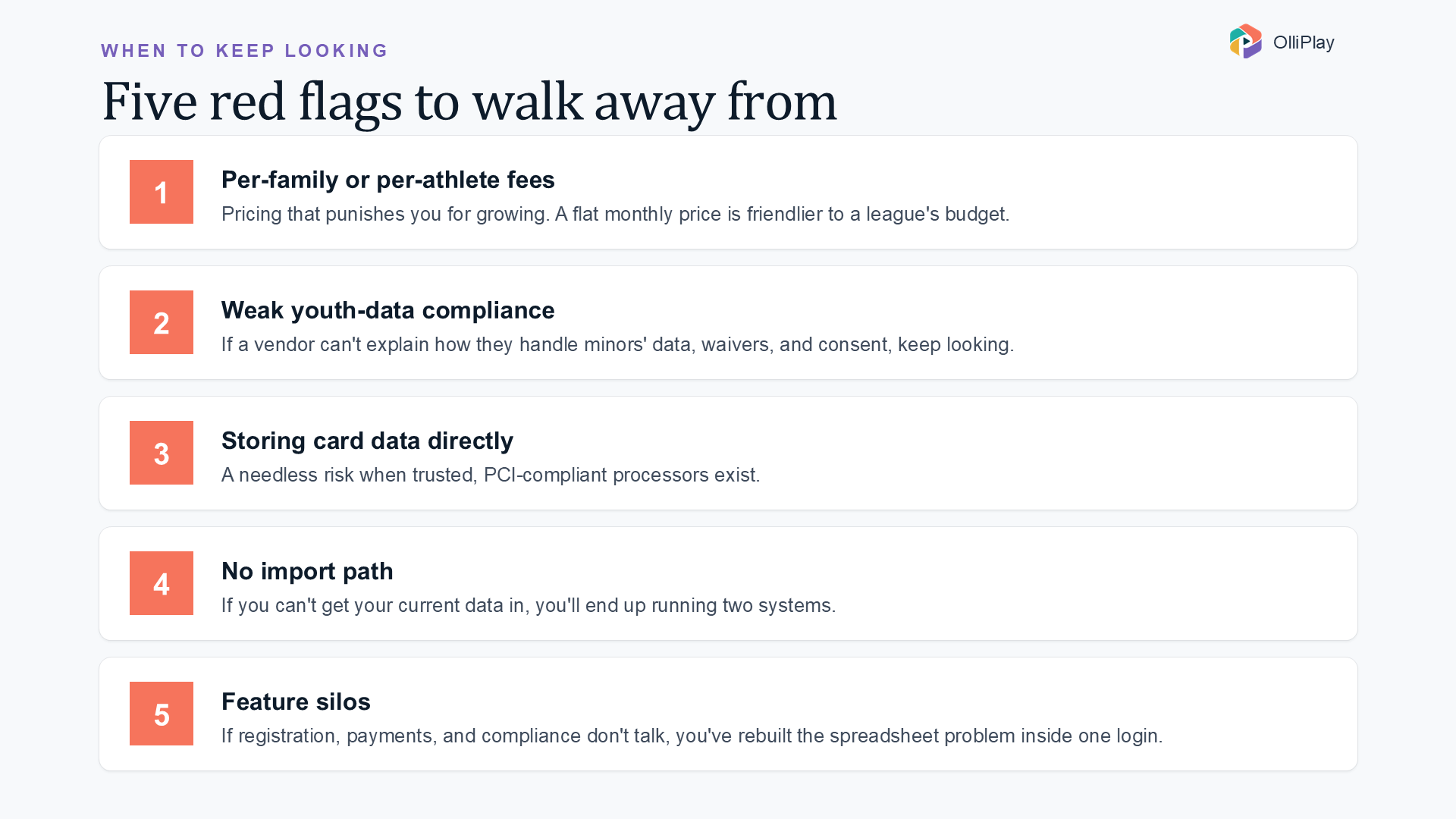
- Per-family or per-athlete fees. These punish you for growing. A flat, predictable monthly price is far friendlier to a youth league's budget.
- Weak youth-data compliance. If a vendor can't clearly explain how they handle minors' data, waivers, and consent, keep looking.
- Storing card data directly. This is a needless risk when trusted processors exist.
- No import path. If you can't get your current data in, you'll end up running two systems.
- Feature silos. If registration, payments, and compliance don't talk to each other, you've just recreated the spreadsheet problem inside one login.
Spreadsheets vs. an all-in-one platform
Spreadsheets are free and familiar, and for a brand-new team of a dozen kids they can work. But they don't scale, and they quietly cost you in other ways.
| Spreadsheets & fragmented tools | All-in-one platform | |
|---|---|---|
| Registration | Manual forms, copy-paste | Online forms with approvals |
| Payments | Chase parents, track by hand | Integrated, auto-reconciled |
| Rosters | Duplicate-prone | Duplicate detection built in |
| Compliance | Paper files, easy to miss | Tracked with expiration alerts |
| Communication | Separate mailing list / group texts | Multi-channel with consent |
| Data security | Whoever has the file | Encryption + org isolation |
The real difference is where your volunteers spend their hours. Spreadsheets push the work onto people; an all-in-one platform pushes it onto software.
Where OlliPlay fits
OlliPlay is an example of the all-in-one approach purpose-built for youth sports organizations, faith-based and community leagues, and Christian schools. It brings CRM, program and roster management, scheduling, Stripe-powered payments, a full compliance module, and multi-channel communications into one system — with transparent pricing that has no per-family fees, and security built on encryption, per-organization isolation, and PCI compliance via Stripe. Plans start at $99/mo, with 20% off annual billing.
Whatever you choose, evaluate it against the checklist above and try it with your own data first.
Frequently asked questions
How much does youth sports management software cost? It varies widely. Watch for per-family fees, which balloon as you grow. Flat monthly pricing is easier to budget — OlliPlay, for example, starts at $99/mo with no per-family fees and no long-term contract (see plans).
Is it safe to handle youth data and payments in one platform? Yes, when the platform is built for it. Look for encryption in transit and at rest, per-organization data isolation, audit logs, COPPA-aware and GDPR-ready design, and payments processed through a PCI-compliant provider like Stripe so card data is never stored by the platform.
Can I move off spreadsheets without losing my data? A good platform lets you import existing records via CSV and detects duplicates before they create messy rosters, so your migration is safe and repeatable rather than a one-shot gamble.
Ready to see it in action? Join OlliPlay — full access from day one, no per-family fees — or email sales (at) olliplay.com with questions.